A website should do more than attract visitors. It should help the right people understand your business, trust your offer, make a decision, and take the next step.
Getting people to your website is only part of the job.
You can have traffic from Google, social media, paid advertising, referrals, email, or direct searches. But if visitors arrive and don't understand what you offer, don't trust the business, or don't know what to do next, that traffic may create very little business value.
This is why website conversion is not simply a matter of adding more buttons or changing the color of a CTA.
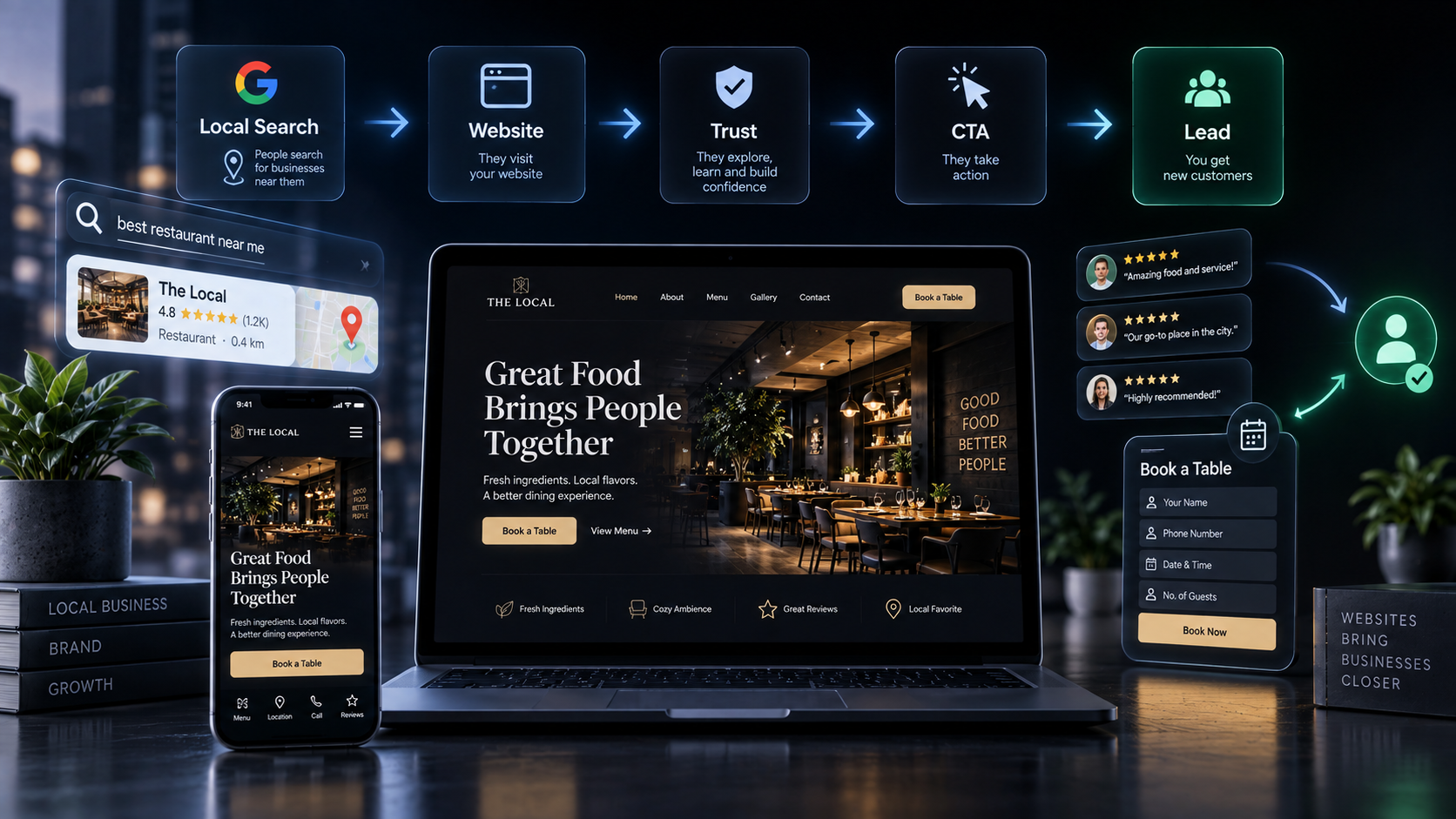
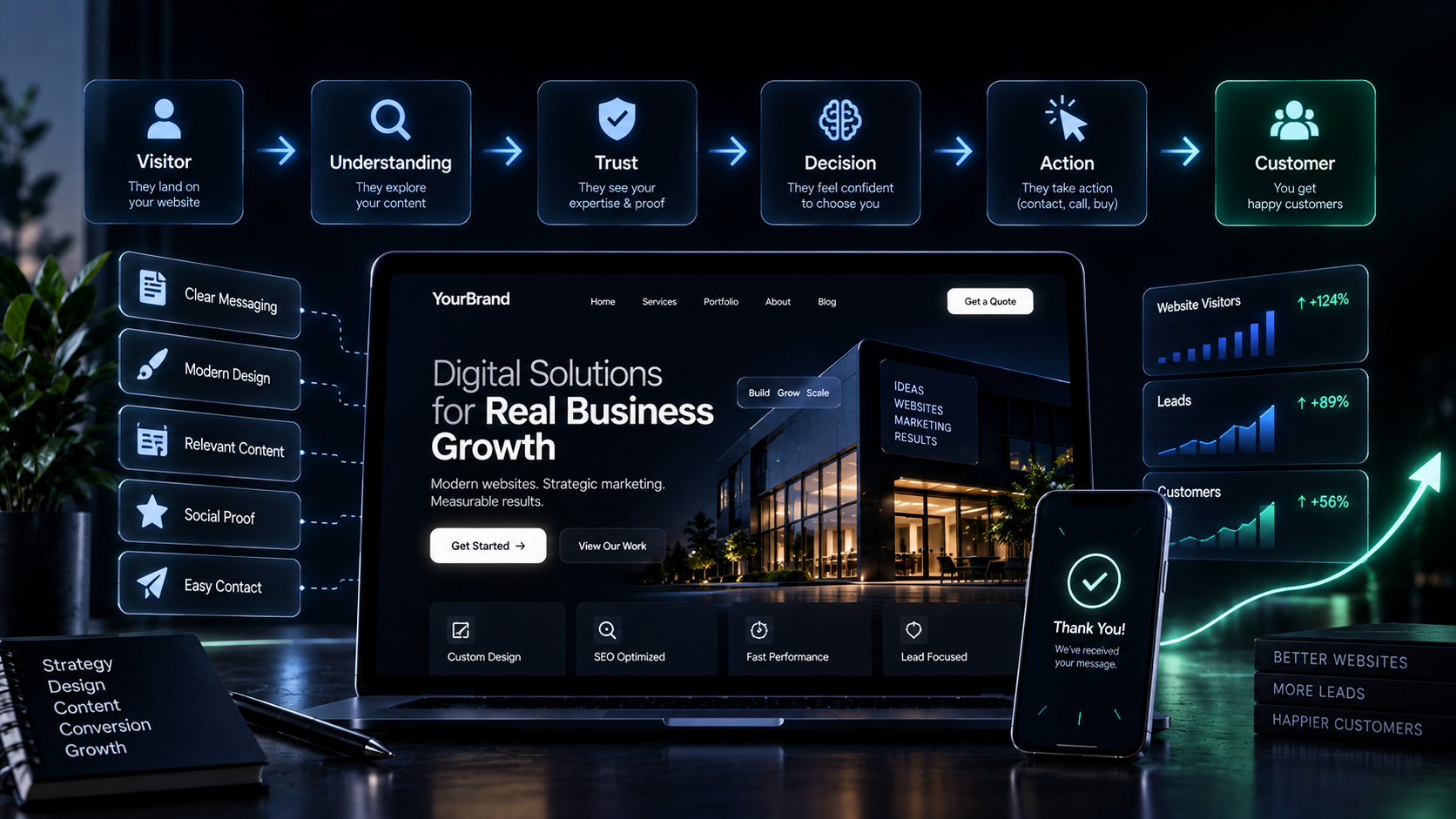
A website that turns visitors into customers is built around a connected journey:
Attention → Understanding → Trust → Decision → Action → Measurement → Improvement
The website becomes more than an online presence.
It becomes part of the business's growth system.
What Does It Mean for a Website to Convert?
A conversion is simply a meaningful action taken by a visitor.
Depending on the business, that could mean:
Buying a product
Booking an appointment
Requesting a quote
Starting a free trial
Booking a consultation
Calling the business
Sending an enquiry
Starting a conversation
Downloading a useful resource
Signing up for a service
The correct conversion depends on the business model.
A SaaS company may want a trial signup.
A law firm may want consultation enquiries.
A restaurant may want reservations.
A professional services firm may want qualified leads.
An ecommerce business may want purchases.
So the first question when building a conversion-focused website is not:
"How do we get more clicks?"
It is:
"What meaningful action should the visitor take?"
Once that is clear, the rest of the website can be designed around it.
Start With the Business Objective, Not the Design
One of the easiest mistakes is starting a website project by choosing colors, animations, layouts, and sections.
Those things matter.
But they should come after understanding the business.
Before designing the website, understand:
What does the business want to achieve?
Who is the ideal customer?
What does the customer need?
What problem are they trying to solve?
What makes the business different?
What objections might prevent action?
What does the customer need to believe before converting?
What should happen after the conversion?
A strong website starts with:
Business Objective → Audience → Offer → Message → Experience → Conversion
This is why a website should be treated as a business asset rather than simply a collection of pages.
1. Make the Value Proposition Immediately Clear
When someone lands on your website, they shouldn't have to spend several seconds figuring out what the business does.
Your homepage should quickly communicate:
What you do.
Who you help.
Why it matters.
For example, instead of:
Welcome to ABC Solutions
consider something more specific:
Accounting Services for Growing Businesses
Practical accounting and financial support for businesses that need clearer numbers and better control.
The second version gives the visitor context.
Clear messaging creates recognition:
"This is for me."
Your value proposition should not try to explain everything.
It should make the business understandable enough for the visitor to continue.
2. Write for One Reader
Trying to speak to everyone often produces generic website copy.
Instead, define the specific person the page is intended to help.
Ask:
Who are they?
What are they trying to achieve?
What problem are they experiencing?
What are they worried about?
What alternatives are they considering?
What would make them trust this business?
When the message is specific, visitors can recognize themselves in it.
That makes the website more relevant.
3. Build a Clear Information Hierarchy
Visitors don't read websites exactly like books.
They scan.
They look for signals.
They decide what deserves attention.
Your website therefore needs a clear hierarchy.
A useful hierarchy is:
Core Value → Benefits → Details → Proof → CTA
The most important message should receive the most attention.
Don't bury your strongest value proposition beneath five sections of company history.
Don't hide your primary CTA in the footer.
Don't make every heading look equally important.
Design and copy should work together to guide attention.
4. Give Every Page One Primary Goal
A website may contain many pages, but each important page should have a clear purpose.
For example:
Page | Primary goal |
|---|---|
Homepage | Introduce the business and guide visitors |
Service page | Explain the offer and generate enquiries |
Product page | Help visitors make a purchase decision |
About page | Build credibility and connection |
Case study | Demonstrate capability and results |
Pricing page | Help visitors evaluate the offer |
Contact page | Start the sales conversation |
Landing page | Drive one specific action |
A page can have multiple buttons.
But those actions should support the same user journey rather than compete with each other.
A focused page is easier to understand.
And an easier-to-understand page is easier to act on.
5. Don't Sell Features Before Explaining the Value
Businesses naturally talk about what they provide.
But customers are usually more interested in what the solution does for them.
Consider:
"We use a modern cloud-based platform."
That describes a feature.
Compare it with:
"Access your business information securely from anywhere."
Now the visitor understands the benefit.
A useful structure is:
Problem → Solution → Benefit → Evidence → Action
Features still matter.
But they should support the larger value proposition.
6. Build Trust Before Asking for the Sale
People don't convert simply because a website tells them to.
They need enough confidence to move forward.
Trust can come from:
Testimonials
Reviews
Case studies
Client logos
Credentials
Certifications
Experience
Results
Transparent process
Guarantees where appropriate
Real photographs
Team information
Relevant examples
But proof should not be added randomly.
Ask:
"What doubt does this proof remove?"
If the visitor is worried about quality, show evidence of quality.
If they're worried about reliability, demonstrate reliability.
If they're unsure whether the service is right for them, provide relevant examples or explain the process.
The strongest proof is connected to the conversion decision.
7. Use Case Studies to Show What You Can Actually Do
A case study is often more persuasive than a generic claim.
Instead of saying:
"We deliver excellent results."
show:
Client → Challenge → Strategy → Execution → Result → Impact
This gives the visitor context.
They can see:
What problem existed
What approach was taken
What was actually done
What changed afterward
Specific evidence is usually more useful than broad claims.
8. Make Your CTA Clear
A visitor should understand what happens when they click.
Instead of:
Submit
consider:
Request a Quote
Book a Strategy Call
Start Your Project
Get Started
Book an Appointment
Explore Pricing
Request a Consultation
The CTA should match the visitor's stage in the decision process.
Someone discovering your business may be ready for:
Explore Services
Someone comparing options may be ready for:
View Case Studies
Someone ready to act may be ready for:
Book a Call
Context matters.
9. Reduce Friction Between Interest and Action
Every unnecessary step can create friction.
Consider a visitor who wants to enquire.
If the process is:
Click Contact → Find Form → Fill 12 Fields → Verify Email → Create Account → Confirm Phone → Wait
the website is asking for a lot.
A simpler experience might be:
Click Request a Quote → Provide Essential Details → Submit
The exact process depends on the business.
But the principle is:
Ask for what you need to take the next step, not everything you might eventually want to know.
10. Make Forms Easier to Complete
Forms are often one of the most important conversion points on a website.
Review every field.
Ask:
Is this information necessary?
Does the visitor understand why we're asking?
Can we collect it later?
Is the form easy to use on mobile?
Is the CTA clear?
Does the visitor know what happens after submission?
For an initial enquiry, a simple form might include:
Name
Email or phone
Service needed
Short message
A more complex business may require additional information.
The right form is the one that balances lead quality with conversion friction.
11. Design the Website Around the User Journey
A strong website helps visitors move through a sequence.
A useful model is:
Understand
What does this business do?
Navigate
Where can I find what I need?
Trust
Can I believe this business?
Decide
Is this solution right for me?
Act
What should I do next?
This means copy, layout, navigation, proof, CTAs, and interactions should work together.
The website isn't simply a collection of sections.
It is a decision-making experience.
12. Don't Make Navigation a Puzzle
Visitors shouldn't need to explore every page to find basic information.
Navigation should help users quickly access important areas such as:
Services
Products
About
Work / Case Studies
Pricing
Resources
Contact
The exact structure depends on the business.
The principle remains:
Help people find what they came for.
Simple navigation often beats clever navigation.
13. Address Objections Before They Stop the Visitor
Every purchase or enquiry involves uncertainty.
Visitors may wonder:
Is this affordable?
Is this right for my situation?
How long will it take?
What happens after I contact you?
Can I trust this company?
What exactly is included?
Is there a contract?
What happens if something goes wrong?
How is this different from alternatives?
Good website copy anticipates these questions.
You don't need to create a huge wall of FAQs.
You need to answer the questions that actually influence the decision.
14. Show the Transformation
People don't necessarily want a website, software platform, marketing campaign, consultation, or service.
They want the outcome those things can create.
Think in terms of:
Before → Solution → After
For example:
Before:
The business struggles to generate qualified enquiries online.
Solution:
A clearer website, stronger conversion journey, and connected marketing strategy.
After:
Visitors have a clearer path from discovery to enquiry.
The transformation gives the offer meaning.
15. Design for Mobile From the Beginning
Mobile shouldn't be treated as an afterthought.
The mobile experience needs:
Clear hierarchy
Readable text
Simple navigation
Easy-to-tap buttons
Short sections
Accessible forms
Visible CTAs
Fast-loading pages
Minimal unnecessary friction
Copy also needs to work on smaller screens.
Long paragraphs and dense explanations become much harder to consume.
A useful rule is:
If the page is difficult to scan, it will probably be difficult to use.
16. Make Performance Part of the Conversion Experience
Performance isn't only a technical concern.
It affects the experience people have with your business.
A slow or unstable website can create frustration before visitors even understand the offer.
Consider:
Image optimization
Efficient code
Appropriate hosting
Caching
Responsive implementation
Reduced unnecessary scripts
Performance monitoring
The goal isn't to chase a technical score for its own sake.
The goal is a website that feels reliable and responsive.
17. Connect SEO With Conversion
SEO brings people to the website.
Conversion-focused content helps them decide what to do next.
These should not be treated as separate systems.
The journey is:
Search → Landing Page → Understanding → Trust → Action
A page can rank well and still perform poorly commercially.
That is why search optimization should never come at the expense of clarity.
Use:
Relevant search topics
Search intent
Useful headings
Natural keywords
Helpful content
Internal links
Appropriate metadata
But write for people first.
18. Create Landing Pages Around Specific Intent
A landing page should have a focused purpose.
Instead of sending every visitor to the homepage, create pages around meaningful offers, audiences, or campaigns where appropriate.
For example:
Google Ads Campaign → Website Design Landing Page → Consultation
or:
Search Query → Specific Service Page → Enquiry
The more closely the page matches the visitor's intent, the less work the visitor has to do to understand relevance.
19. Don't Assume More Content Means More Conversion
More words do not automatically create more persuasion.
More sections do not automatically create more clarity.
More features do not automatically create more value.
The question is:
Does this information help the visitor make a better decision?
If yes, keep it.
If not, remove it.
A strong website is not necessarily the one with the most content.
It is the one with the right content in the right place.
20. Measure What Visitors Actually Do
Opinions are useful.
Data is better.
After launch, track meaningful behavior such as:
Conversion rate
CTA clicks
Form submissions
Booking actions
Phone clicks
Engagement
Page exits
Traffic sources
User journeys
Lead quality
Don't stop at:
"We got 10,000 visitors."
Ask:
"What happened after those visitors arrived?"
Traffic is attention.
Conversion turns relevant attention into opportunity.
21. Measure Lead Quality, Not Just Lead Volume
A website can generate more leads while producing less business value.
Imagine:
Website A:
100 leads → 5 qualified → 1 customer
Website B:
50 leads → 20 qualified → 8 customers
Website B generated fewer leads.
But it may have created considerably more business value.
This is why conversion optimization should eventually connect website activity to actual outcomes.
Where possible, measure:
Visitor → Lead → Qualified Lead → Opportunity → Customer → Revenue
That creates a much clearer picture of website performance.
22. Test Instead of Guessing
Your first website version may not be your best version.
You can test meaningful variables such as:
Headlines
Subheadlines
CTA wording
CTA placement
Offer presentation
Pricing presentation
Social proof
Form length
Page structure
Where possible, change one meaningful variable at a time and measure against a defined conversion goal.
The goal isn't to experiment randomly.
It is to learn what helps the target audience move forward.
23. Use User Testing to Find What Analytics Can't Explain
Analytics can tell you that visitors leave.
It may not tell you exactly why.
User testing can reveal:
What people notice first
What they understand
What confuses them
What they ignore
What they expect
What makes them hesitate
What action they would take
Useful questions include:
What do you think this business does?
Who do you think this website is for?
What stands out first?
What feels unclear?
What would stop you from taking action?
Sometimes a few conversations can reveal problems that hundreds of analytics reports cannot explain clearly.
24. Treat the Website as an Evolving System
A website shouldn't be considered permanently finished after launch.
Businesses change.
Offers change.
Customers change.
Markets change.
Search behavior changes.
Performance data reveals new opportunities.
That means website optimization should follow a cycle:
Launch → Measure → Learn → Improve → Test → Repeat
This is especially important for conversion-focused websites.
The first version gives you a foundation.
Real user behavior gives you evidence.
That evidence informs the next improvement.
A Practical Website Conversion Framework
A conversion-focused website can be built around nine connected layers:
01 — Business Goal
What does the business need the website to achieve?
02 — Audience
Who is the website actually trying to help?
03 — Value Proposition
Why should the visitor care?
04 — Experience
Can the visitor easily understand and navigate the website?
05 — Trust
What evidence gives them confidence?
06 — Objection Handling
What could stop them from taking action?
07 — CTA
What should they do next?
08 — Measurement
How will you know whether the website is working?
09 — Optimization
What will you improve based on evidence?
The complete system becomes:
Business → Audience → Value → Experience → Trust → Decision → Action → Measurement → Improvement
A High-Converting Homepage Structure
There isn't one universal homepage structure.
But a useful starting framework is:
1. Hero
Clearly communicate:
What you do + who you help + primary action
2. Problem
Show that you understand the visitor's situation.
3. Solution
Explain how the business helps.
4. Services / Products
Make the offer easy to understand.
5. Benefits
Explain why the solution matters.
6. Proof
Use testimonials, case studies, results, credentials, or relevant evidence.
7. Process
Explain what happens next.
8. FAQ
Address important objections and questions.
9. Final CTA
Give the visitor a clear next step.
This structure works because it follows a natural decision journey:
Problem → Understanding → Solution → Trust → Action
Common Reasons Websites Don't Convert
1. The Business Is Not Clear
Visitors don't understand what the company actually does.
Fix: Make the value proposition specific.
2. The Website Talks Too Much About the Business
The content focuses on the company rather than the customer's problem.
Fix: Start with the audience and their desired outcome.
3. The CTA Is Weak
Visitors don't know what happens next.
Fix: Use a specific, contextual CTA.
4. There Is Not Enough Proof
The website makes claims without supporting evidence.
Fix: Add relevant testimonials, case studies, credentials, examples, or other authentic proof.
5. The Page Has Too Many Competing Goals
Visitors don't know where to go.
Fix: Give the page one primary conversion objective.
6. The Form Creates Too Much Friction
Visitors abandon the enquiry process.
Fix: Remove unnecessary fields and make the next step clear.
7. The Website Is Difficult to Use on Mobile
Visitors struggle to navigate or take action.
Fix: Design and test the mobile experience deliberately.
8. SEO Was Prioritized Over the User
The page feels repetitive or unnatural.
Fix: Write for humans first and optimize naturally for search.
9. The Website Was Launched and Forgotten
No one measures what happens after launch.
Fix: Use analytics, feedback, testing, and continuous optimization.
Website Conversion Is a System, Not a Button
It's tempting to think conversion optimization means:
"Make the CTA bigger."
Sometimes that helps.
But conversion is usually influenced by everything that comes before the CTA.
If the visitor doesn't understand the offer, the CTA won't fix it.
If they don't trust the business, the CTA won't fix it.
If the page doesn't answer their questions, the CTA won't fix it.
If the form is frustrating, the CTA won't fix it.
If the website attracts the wrong audience, the CTA won't fix it.
The conversion experience is therefore cumulative.
Clarity builds relevance.
Relevance creates interest.
Trust reduces uncertainty.
Good UX reduces friction.
A clear CTA creates direction.
Together, these make action easier.
From Website Visitor to Customer
A useful way to think about the entire website is:
Step 1 — Attract
Bring the right people to the website.
Step 2 — Understand
Help them quickly understand what you offer.
Step 3 — Relate
Show that the solution is relevant to their situation.
Step 4 — Trust
Provide evidence that supports your claims.
Step 5 — Decide
Answer important questions and objections.
Step 6 — Act
Make the next step obvious and easy.
Step 7 — Measure
Understand what happened.
Step 8 — Improve
Use evidence to make the experience better.
This is how a website moves from:
Digital Presence → Digital Experience → Business Asset
The BVHQ Perspective
At BrandVerseHQ, we don't believe a website should be built simply to give a business an online presence.
The website should support what the business is trying to achieve.
That means starting with the problem, audience, positioning, objectives, and current digital experience before deciding what should be built.
The broader digital growth journey looks like:
Strategy → Website → Visibility → Attention → Trust → Action → Growth
A website is therefore not isolated from SEO, marketing, analytics, or business strategy.
A great website isn't enough if nobody finds it.
Traffic isn't enough if the website doesn't convert it.
Marketing isn't enough if the digital experience doesn't build trust.
The strongest digital presence connects these pieces.
Key Takeaways
Start with the business objective, not the visual design.
Define the audience and their real needs.
Make the value proposition immediately clear.
Give every important page one primary goal.
Communicate benefits before overwhelming visitors with features.
Build trust with relevant, authentic proof.
Address objections before they become conversion blockers.
Use specific CTAs that communicate the next step.
Reduce unnecessary friction in forms and navigation.
Design for mobile from the beginning.
Connect SEO with conversion rather than treating them separately.
Measure meaningful actions, not just traffic.
Track lead quality where possible.
Use testing and user feedback to learn.
Treat the website as an evolving system.
The goal isn't to make every visitor convert.
The goal is to make it easier for the right visitor to understand, trust, and choose your business.
Frequently Asked Questions
What is the most important factor in website conversion?
There isn't one universal factor. Conversion depends on the relationship between the audience, offer, messaging, trust, UX, CTA, friction, and overall customer journey.
How can I increase website conversions?
Start by identifying where visitors are getting stuck. Improve clarity, relevance, trust, CTA visibility, forms, mobile UX, and page structure, then measure the results.
Should every website have a CTA?
Most commercial websites should provide a clear next step, but the CTA should match the page's purpose and the visitor's stage in the decision process.
Does more website traffic mean more customers?
Not necessarily. Traffic quality matters. A smaller amount of highly relevant traffic can create more business value than a much larger amount of irrelevant traffic.
How important are testimonials for conversion?
Testimonials can be valuable when they address relevant concerns and provide credible evidence. They are most effective when matched to the specific audience, offer, and conversion goal.
Should I focus on SEO or conversion optimization first?
They work together. SEO helps relevant people discover the website, while conversion-focused UX and content help them make a decision after they arrive.
How often should a website be optimized?
There is no universal schedule. Measure performance continuously and make improvements when data, customer feedback, business changes, or new opportunities indicate that something can be better.
Final Thought
A website doesn't turn visitors into customers because it has more pages, more animations, or more features.
It converts when the right person can move through the experience with less uncertainty and less friction.
They understand the business.
They recognize the value.
They see evidence.
Their questions are answered.
They know what to do next.
And taking that next step feels easy.
That's what a business-focused website should do.
Attract the right people.
Build confidence.
Make the decision easier.
Create the next opportunity.